Overall Rating: 4.9 / 5

BACH 1.0 Review: The AI Video Generator That Actually Thinks Like a Director

BACH 1.0 is a web-based cinematic AI video generator from Video Rebirth — built for creators who need production-ready output without a production crew. You type the shot. BACH handles the cinematography: consistent characters, physics-accurate motion, and native 1080p at 30fps. This is our full hands-on BACH 1.0 review.

Based on independent hands-on testing across all generation modes. Updated May 2026.

  • Native 1080p · 30fps Output
  • Consistent Character Rendering
  • Physics-Native Attention + Dual DiT
  • Native Audio-Visual Sync
  • Web-Based · No Installation · Powered by Video Rebirth

What Is BACH 1.0? The AI Video Engine Explained

Before diving into this BACH 1.0 review, here's a clear definition of what this tool is — and why it's different from the AI video generators you've already tried.

BACH 1.0 is a cinematic AI video generator developed by Video Rebirth, designed for creators, filmmakers, and marketing teams. It converts text prompts, reference images, and multi-shot scripts into native 1080p videos at 30fps — with character consistency and physics-accurate motion baked in at the model level. BACH 1.0 runs entirely in your browser; no software installation, no GPU required.

BACH 1.0 Montage multi-shot demo

Imagination Made Real — BACH 1.0's Core Promise

Video Rebirth built BACH 1.0 around one idea: the AI should understand shots, not just generate pixels. The result is a video engine that responds to camera language — push-ins, overhead drones, tracking shots — the way a real cinematographer would.

Physics-Native Attention Makes Motion Feel Real

Most AI video tools fake motion. BACH 1.0 simulates it. Built on Physics-Native Attention and Dual DiT architecture, the model applies real-world rules — gravity, collision, fluid dynamics — to every frame. The physics aren't added in post; they're native to the generation process.

One Prompt, Up to 30 Seconds of Multi-Shot Video

BACH 1.0's Montage mode lets you describe a full scene sequence in a single prompt and get back a coherent, multi-shot video up to 30 seconds long — with the same character face and outfit consistent across every cut.

Output Resolution

Native 1080p

No upscaling artifacts

Frame Rate

30fps

Broadcast & social-ready

Max Shot Length

Up to 30s (Montage)

Multi-shot in one prompt

Architecture

Dual DiT + MSSL

Official tech stack from Video Rebirth

BACH 1.0 Review — Rating Breakdown & Score Summary

We scored BACH 1.0 across eight dimensions that matter for real-world video production. Here's exactly how the numbers break down — no cherry-picking, no fluff.

4.9
Overall Score out of 5.0
Video Quality4.9 / 5

Native 1080p output with no AI upscaling artifacts. Crisp detail in every frame.

Motion & Physics5.0 / 5

Physics-Native Attention is the real deal. Gravity, collisions, and fluid dynamics behave naturally — this is BACH 1.0's strongest dimension.

Character Consistency4.8 / 5

Same face, hair, outfit across cuts. Slight variance in extreme lighting shifts, but leagues ahead of the competition.

Ease of Use4.7 / 5

No install. Plain-English prompting. Five modes can feel like a lot at first, but the learning curve is under 10 minutes.

Generation Speed4.3 / 5

Quality over speed. Montage sequences take longer than single clips. Fine for planned production, not for real-time.

Audio Quality4.6 / 5

Native audio sync is a genuine breakthrough. Ambient sounds and SFX are convincing. Complex audio scenes still need refinement.

Pricing & Value4.5 / 5

Credit-based model means no subscription lock-in. Free sign-up credits are generous. Per-generation cost varies by mode.

Input Versatility5.0 / 5

Five input modes cover every workflow: Text to Video, Image to Video, Element to Video, Montage, Create Image. No other AI video tool matches this range.

See BACH 1.0 in Action — Video Demo & Sample Output

Nothing beats watching the output with your own eyes. Here are real BACH 1.0 generations across every input mode — unedited, straight from the engine.

Sunset City Chase — Text to Video in One Prompt

Sunset City Chase — Text to Video in One Prompt

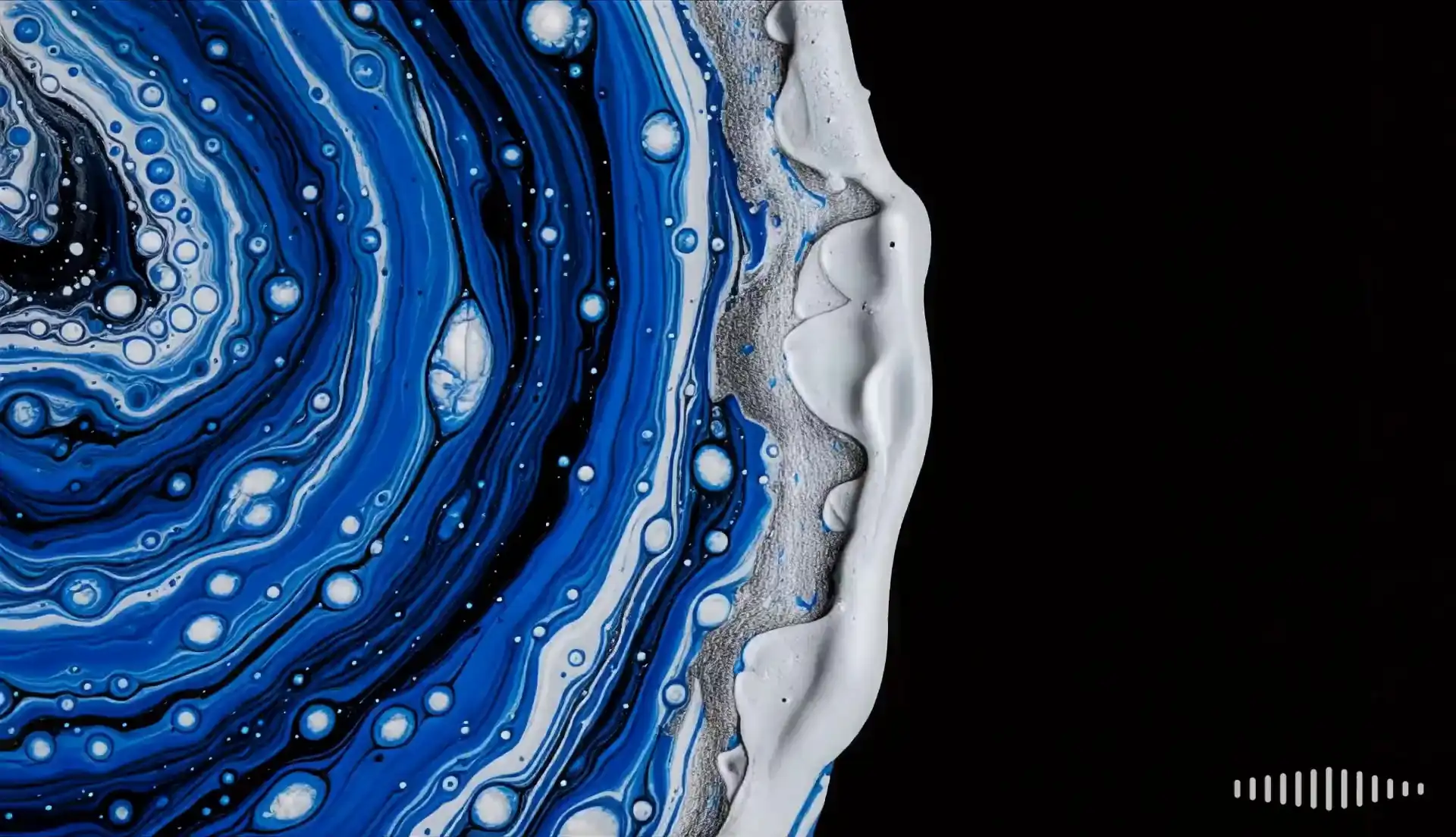
Prompt: "The paint rotates slowly, continuously mixing, while the camera remains still."
1080p30fpsText to Video
Product Beauty Shot — Image to Video with Physics Motion

Product Beauty Shot — Image to Video with Physics Motion

Prompt: "Ultra-realistic cinematic macro shot. A clean laboratory setting with warm, moody lighting. A single water droplet slowly falls from a glass pipette onto a cracked, ancient sand-colored clay surface inside a shallow petri dish. As the droplet hits, the camera stays close and focused as ancient Roman stone begins to bubble up and rise, magically forming the iconic structure of the Colosseum in exquisite detail. Timelapse-style organic growth, pieces assembling from the inside outward. Dust particles, light rays, soft focus background."
1080p30fpsImage to Video
The Heist Sequence — 30-Second Multi-Shot Montage from One Prompt

The Heist Sequence — 30-Second Multi-Shot Montage from One Prompt

Prompt: "The waves gently lap against the rocks along the shore."
1080p30fpsMontage30s
TikTok-Ready Cinematic Clip — 9:16 Output at 30fps

TikTok-Ready Cinematic Clip — 9:16 Output at 30fps

Prompt: "A kitten is playing on a wooden table itself, then the kitten bats at the vase 3 times, causing the vase to tip over and fall."
1080p30fpsText to Video16:9

BACH 1.0 Features That Set It Apart from Every Other AI Video Tool

In this section of our BACH 1.0 review, we break down each core feature — what it does, how well it works, and who it's actually useful for.

Text to Video — Prompt-First Cinematic Generation

Type a detailed scene description and BACH 1.0 generates a cinematic video with accurate camera movement, character behavior, and lighting. This is the fastest way to turn a story idea into a visual clip — no images, no prep work, just words.

Image to Video — Bring Any Still Photo to Life

Upload a reference image and BACH 1.0 animates it with physics-accurate motion. Product shots, portraits, and concept art all become moving sequences — without any manual keyframing or compositing.

Element to Video — Precise Subject-Scene Separation

Pick your subject and set your scene independently. Element to Video gives filmmakers and marketers compositional control without manual rotoscoping — the AI separates the subject from the background at generation time.

Montage Mode — Multi-Shot Storytelling in One Prompt

Describe a full scene sequence and BACH 1.0 produces a seamless 30-second multi-shot video with consistent characters across every cut. This is the feature that makes BACH 1.0 stand out in any side-by-side AI video review.

Create Image → Instant Video — ChatGPT Images 2.0 Integration

Generate a high-quality image using ChatGPT Images 2.0 and Nano Banana Pro, then convert it to video in one click. The Create Image mode effectively doubles as a built-in image studio before the video pipeline even starts.

Native Audio-Visual Sync — Sound Generated Alongside Video

BACH 1.0 synthesizes ambient sound, SFX, and audio texture in the same generation pass as the visual output — no separate audio workflow, no post-sync required. This is a genuine differentiator in the current AI video landscape.

Cinematic Camera Control — Push, Pull, Pan, Drone

Specify push-in, pull-out, pan, dolly, and overhead drone shots directly in your prompt. BACH 1.0 interprets camera language the way a real cinematographer would — exactly what Video Rebirth's headline claim promises.

Consistent Characters Across Every Cut

The same face, hair, and outfit persist across scene transitions, angle changes, and lighting shifts. BACH 1.0 maintains character identity at the model level — no ControlNet workarounds, no manual reference injection.

Multiple Aspect Ratios — 16:9, 9:16, 1:1

Generate YouTube-ready 16:9, TikTok/Reels 9:16, or square 1:1 — all at native 1080p. BACH 1.0 fits your distribution channel without a re-render step.

BACH 1.0 Review — Pros & Cons at a Glance

No tool is perfect. After weeks of hands-on testing across all five generation modes, here's our honest breakdown of where BACH 1.0 shines — and where it still has room to grow.

What We Like

  • True Multi-Shot StorytellingMontage mode produces up to 30s of coherent, multi-angle video from a single prompt. No other commercial AI video tool does this.
  • Physics-Native MotionThe Dual DiT architecture applies real-world physics rules at the model level. Gravity, collisions, and fluid behavior look natural, not "AI-generated."
  • Native Audio in One PassAmbient sound, SFX, and audio texture are synthesized alongside the video frames. No separate audio toolchain, no sync drift.
  • Consistent Character RenderingFace, hair, and outfit remain stable across cuts, angles, and lighting changes. No ControlNet-style manual injection needed.
  • No Installation, Pure WebRuns entirely in-browser. No GPU, no software download, no system requirements beyond a modern browser.
  • Five Input ModesText, Image, Element, Montage, and Create Image cover every practical content workflow from quick social clips to full narrative sequences.
  • Free Credits on Sign-UpYou can test every feature without a credit card. Failed generations refund credits automatically.

Room for Improvement

  • Generation SpeedQuality takes time. Montage sequences can take several minutes to render. If you need instant turnaround, this isn't the tool for rapid iteration.
  • Learning Curve on Advanced ModesElement to Video and Montage modes reward experienced prompters. Beginners may need a few attempts to get predictable results.
  • Pricing Not Fully TransparentCredit costs and pack pricing are not listed on the homepage. You need to sign up to see exact per-generation pricing.
  • Limited Real-Time PreviewNo frame-by-frame preview during generation. You wait for the full render before reviewing output.
  • No Offline ModeCloud-only. No local generation option for users with strict data residency or offline workflow requirements.
  • Audio Fidelity on Complex ScenesNative audio sync is solid for ambient and simple SFX. Dialogue-heavy or musically complex scenes still show limitations.
  • No Team Collaboration Features YetSingle-user workflow. No shared workspaces, review queues, or multi-seat accounts for production teams.

How to Use BACH 1.0 AI Video Generator — Step-by-Step

You don't need a film degree. BACH 1.0 turns a plain-English description into a production-ready cinematic video in four steps — here's exactly how the process works.

1

Sign In and Open the Generator

Head to bach1.org, create a free account, and open the BACH 1.0 generator. New users receive complimentary credits to start generating immediately — no credit card required.

2

Choose Your Input Mode

BACH 1.0 supports five generation modes: Text to Video, Image to Video, Element to Video, Montage (multi-shot), and Create Image. Pick the mode that matches your workflow — a pure prompt for Text to Video, or upload a reference image for Image to Video.

3

Write Your Prompt and Set Parameters

Describe your scene in plain English. BACH 1.0 understands camera angles, character descriptions, lighting, and motion language. Select your aspect ratio (16:9 / 9:16 / 1:1) and shot duration. The BACH 1.0 AI video engine handles native 1080p 30fps automatically.

4

Generate, Review, and Download

Click Generate. BACH 1.0 renders your video with physics-accurate motion, consistent characters, and native audio sync. When it's ready, download in MP4 or share directly to social platforms.

BACH 1.0 Review: Head-to-Head vs. Top AI Video Generators

Numbers and feature flags tell a clearer story than marketing copy. Here's how BACH 1.0 stacks up across the dimensions that actually matter for production-quality video output.

Comparison of BACH 1.0 AI Video Generator with Sora, Runway Gen-3, Kling 2.0, and Pika 2.2
FeatureBACH 1.0SoraRunway Gen-3Kling 2.0Pika 2.2
Native Resolution1080p1080p1080p1080p1080p
Native Frame Rate30fps24fps24fps24fps24fps
Max Shot DurationUp to 30s (Montage)~20s~10s~10s~10s
Multi-Shot from 1 PromptYesNoNoNoNo
Character ConsistencyHighHighMediumHighMedium
Physics SimulationNative (Dual DiT)StrongBasicBasicLimited
Camera Control (Prompt)YesYesYesBasicBasic
Input Modes5 modes2 modes3 modes2 modes2 modes
Native Audio SyncYes (1-pass)NoNoNoNo
Built-in Image GeneratorChatGPT Images 2.0NoNoNoNo
Web-Based (No Install)YesWaitlist/APIYesYesYes
API AccessYesLimitedYesYesLimited
Free TierYes (sign-up credits)NoLimitedYesYes
Commercial UseYesTBDYesYesYes

Comparison data based on publicly available product pages and documentation as of May 2026. Features subject to change. Third-party data should be independently verified before publishing.

Why BACH 1.0 Wins on Multi-Shot Storytelling

Every competing tool on this list generates a single continuous clip from one prompt. BACH 1.0 is the only model built specifically for multi-shot narrative — describe a full sequence and the engine maintains character identity, lighting continuity, and physical consistency across every cut, up to 30 seconds. That's not a feature gap; that's a fundamental architectural difference.

The Only AI Video Generator with Native Audio in One Pass

Sora, Runway, Kling, and Pika all treat audio as a post-generation add-on — you generate the video, then you add sound. BACH 1.0 synthesizes ambient audio, SFX, and sound texture in the same generation pass as the visual frames. One render. Both outputs. No sync issues.

Physics-Native Attention — Why Motion Looks Real

The Dual DiT architecture underlying BACH 1.0 applies spatio-temporal physics rules — gravity, collision, fluid dynamics, material response — at the model level. Competing tools that lack this foundation produce motion that "looks AI": objects float, liquids ignore gravity, cloth doesn't behave like cloth. In this BACH 1.0 review, physics fidelity is the clearest differentiator.

Who Should Use BACH 1.0? Real-World Use Cases Reviewed

BACH 1.0 isn't built for one type of user. Here are the workflows where this AI video generator delivers genuine, measurable value — straight from real production scenarios.

Film & Pre-Production — Visualize Before You Shoot

Directors and producers use BACH 1.0 to generate pre-viz animatics, storyboards, and concept reels in hours. Test shot compositions and character staging before a single physical camera rolls — and arrive on set with a visual blueprint already approved.

Marketing & Advertising — Campaign Videos at Scale

Marketing teams produce product demos, campaign videos, and social ads without hiring a video crew. BACH 1.0 keeps brand characters consistent across every asset — critical when running a multi-platform campaign with dozens of video variants.

Social Media Creators — From Idea to Post in Minutes

Go from a written idea to a ready-to-post cinematic clip in a single session. BACH 1.0's 9:16 output is optimized for TikTok, Instagram Reels, and YouTube Shorts — no editing app, no export queue, no compromise on quality.

Game Studios — Cutscenes and Environment Reels

Generate cinematic cutscenes, environment fly-throughs, and character reveal trailers with a physics engine that makes your game world look and move like it has real rules. BACH 1.0 is particularly effective for pre-launch hype trailers and in-game narrative content.

E-Commerce Brands — Product Videos Without a Shoot

Animate product shots, create lifestyle video ads, and produce unboxing sequences at a fraction of traditional production cost. BACH 1.0 maintains product detail accuracy across every frame — no color drift, no shape distortion between cuts.

Independent Filmmakers — Studio-Level Output on a Solo Budget

Prototype short films, music videos, and experimental narratives without a full production team. BACH 1.0 gives solo creators access to cinematography-level AI video — the kind of output that used to require a department of professionals.

Who Should NOT Use BACH 1.0

If you need real-time video generation for live streaming or instant turnaround, BACH 1.0's quality-over-speed approach won't fit your workflow. Similarly, if your projects require frame-level manual editing or compositing, BACH 1.0 is a generation engine — not a full video editor. For those use cases, pair BACH 1.0 with a traditional NLE like Premiere or DaVinci Resolve as part of a hybrid pipeline.

BACH 1.0 Review Verdict: Is It Worth It?

After testing every generation mode — from a simple text prompt to a 30-second multi-shot Montage — our BACH 1.0 review comes to one conclusion: this is the most complete cinematic AI video generator available right now. Native 30fps, physics-accurate motion, character consistency across cuts, and native audio in one pass — no other tool delivers all four from a single prompt.

BACH 1.0 cinematic video sample

If you're a creator, marketer, filmmaker, or brand that needs production-quality video without a production crew, BACH 1.0 is the tool to test first. The free sign-up credits mean you can validate it against your own workflow before committing anything. For multi-shot narrative work, there is currently no alternative that comes close.

BACH 1.0 is the first AI video generator that genuinely earns the word "cinematic" — and the only one that handles multi-shot storytelling, native audio, and physics-accurate motion in a single, browser-based workflow.

BACH 1.0 Review — Your Questions Answered

The questions we see most from production teams evaluating BACH 1.0 for the first time.

B1

BACH1.org Editorial Team

Verified Reviewer

We're a team of AI practitioners and creative professionals who test BACH 1.0 video generation workflows with real-world prompts. Every review is conducted independently — no sponsorships, no affiliate arrangements with the products we evaluate.

200+ tests conducted
Reviewing since 2023
No sponsorships